You can now check your BISP registration online in 2026 using your CNIC number through the official 8171 web portal. This quick digital service helps you confirm whether your family is registered and eligible for financial assistance under the Benazir Income Support Programme (BISP). It takes less than two minutes — just enter your CNIC number and view your status instantly. No need to visit offices or stand in lines.
In this guide, you’ll learn how to verify your eligibility, payment status, and next steps for updating or confirming your registration. The process is completely free and works for all Pakistani citizens already enrolled or planning to register in 2026.



What Is BISP Registration Check by CNIC 2026?
The BISP Registration Check by CNIC allows citizens to confirm their inclusion in Pakistan’s largest social welfare scheme. This service connects to the 8171 Ehsaas / BISP database, helping users verify whether they are approved for financial aid, under verification, or due for a new survey.
Key Benefits
-
Instantly view eligibility and payment details.
-
Ensure your CNIC data is updated and verified.
-
Avoid scams and false messages.
-
Get transparent access to your registration record.

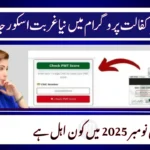

How to Check BISP Registration Online by CNIC (Step-by-Step)
| Step | Action | Details |
|---|---|---|
| 1 | Visit Official Portal | Go to https://8171.bisp.gov.pk |
| 2 | Enter CNIC | Type your 13-digit CNIC number (without dashes) |
| 3 | Complete Captcha | Verify by entering the image code shown |
| 4 | Click “Submit” | Wait for your eligibility status to appear |
| 5 | View Results | See if you are registered, eligible, or pending survey |
Alternatively, you can send your CNIC number to 8171 via SMS to receive the same information directly on your phone.
Why Checking Your CNIC in 2026 Is Important
The government regularly updates the BISP eligibility database based on income, household data, and NADRA verification. Checking your status helps you:
-
Confirm continued eligibility for payments.
-
Update expired CNIC or contact details.
-
Participate in new financial support cycles.
-
Track disbursement schedules in real-time.
Common Registration Issues and Fixes
| Issue | Reason | Solution |
|---|---|---|
| CNIC not registered | Data not yet added to BISP system | Visit your nearest BISP / Tehsil office for survey |
| Incorrect data | Outdated info at NADRA | Update CNIC record before checking again |
| No SMS reply | Weak network or wrong number | Resend after some time or use online portal |
| Eligible but not paid | Payment under process | Wait for next disbursement cycle |
| Portal error | High traffic | Retry after 5–10 minutes |
Conclusion + CTA
Checking your BISP registration by CNIC in 2026 is the easiest way to stay updated on your eligibility and payments. Use the official 8171 web portal or SMS method to confirm your status anytime. If you’re not registered yet, visit your local BISP office to complete the process.
👉 Don’t wait — verify your CNIC today and make sure your family receives its financial support on time.
FAQs
How can I check my BISP registration status by CNIC in 2026?
Visit 8171.bisp.gov.pk and enter your 13-digit CNIC to see your eligibility and payment details.
Can I check BISP status without internet?
Yes. Just type your CNIC number and send it to 8171 via SMS to receive your registration status.
Is there any fee for checking BISP registration?
No, checking your BISP registration online or via SMS is completely free of cost.
What should I do if my CNIC is not registered?
Visit your nearest BISP Tehsil Office to update your records or complete the national socio-economic survey.
How often should I check my CNIC status?
You should check every few months or after major government announcements to confirm your continued eligibility.
Can I update my CNIC or contact details in BISP?
Yes, you can update your CNIC, phone number, or household info by visiting the local BISP office with valid documents.
What if I am eligible but haven’t received payment yet?
Your payment may still be in processing. Recheck after a few days or contact the BISP helpline (8171) for assistance.